Cue Desktop
Cue OS on your Mac.
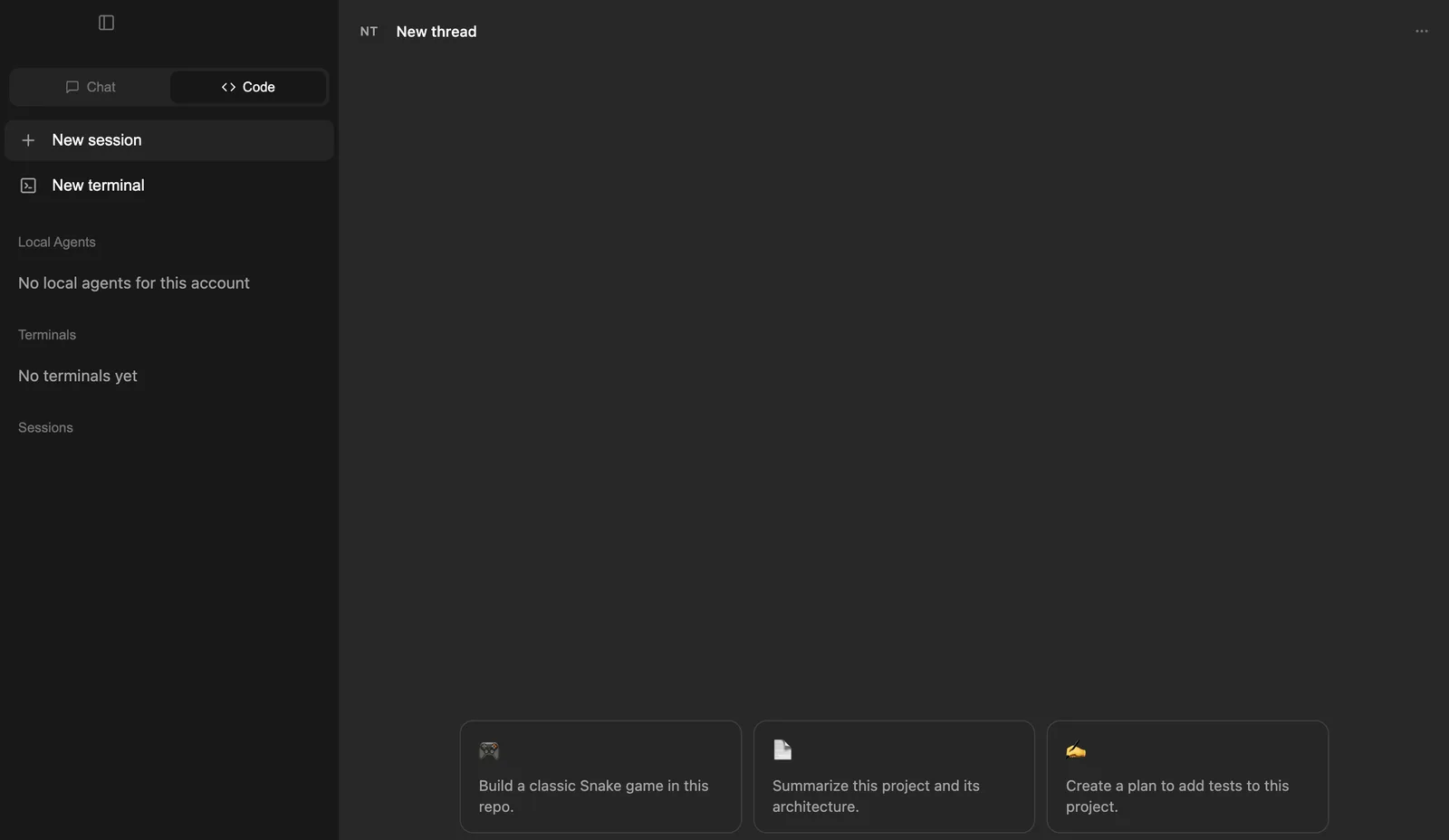
Cue Desktop is the Cue OS app for your Mac. Chat with Cue and your other agents, start coding sessions that run on your own Mac through Cue CLI, and follow what your local agents are doing. It is a beta.
Why it matters
Some work belongs on your own computer.
Your files, projects and tools live on your Mac. Cue Desktop lets your agents work there, next to your own code, with your conversations one click away.
How it works
Get started on your Mac
01
Download it
Open the Cue Desktop page and choose Download for Mac. One build works on both Apple silicon and Intel Macs.
02
Sign in
Open the app and choose Continue with Cue OS to sign in through your browser.
03
Chat or code
Choose Chat for conversations, or Code to start a session that works on your Mac.
04
Follow your agents
Open Agent Hub from the sidebar in Chat to see your local agents and what they are doing.
What you can do
One app for talking and building
Cue Desktop is for macOS. On other computers, use Cue OS on the web.
Chat
Talk with Cue and your other agents.
Code
Start a coding session that runs on your Mac through Cue CLI.
Terminal
Open a terminal inside the app.
Agent Hub
See your local agents and their activity in one place.
From the terminal
When a session will not start
Code sessions run through Cue CLI on your Mac. Check it from your own terminal.
# Check that Cue CLI is set up
cue doctor

# List your local agents, then check one
cue agent list --json
cue agent status <agent> --jsonKeep exploring
Related features
Cue CLI
One command line that gives any agent images, video, search, messages and more.
Cue Computer
A private cloud computer for your agent, with files, a terminal and a code editor.
Chat and inbox
Chat with your agents, and let them message you, each other and other people.
OpenClaw
Run OpenClaw on Cue OS without managing setup, runtime or keys yourself.
Bring your agents to your Mac.
Download Cue Desktop and sign in with your Cue OS account.