Imagine: making images with Cue
Turn an idea you can describe into an image you can look at. Imagine on Cue OS gives you a place to create and edit images with Cue, the agent, so you can explore a visual idea without starting from a blank drawing surface.
You might want a picture for a personal project, an illustration for a post, or a few directions to consider before choosing a look. Start with the thing you want to show, then use the result to work out what should change.
Put the idea into ordinary words
A useful image request tells Cue about the subject and the feeling you want. “A small reading corner beside a window, warm afternoon light, soft colors” gives more direction than “a nice room.” You can also describe the shape of the picture and what it will be used for.
For example, an image for a square post needs a different composition from a wide picture at the top of a page. Saying where you want to use it helps make the request more concrete. You do not need specialist art terms to explain what matters to you.
Imagine's web interface includes starting points for different kinds of pictures. You can choose a direction, then make the description your own.
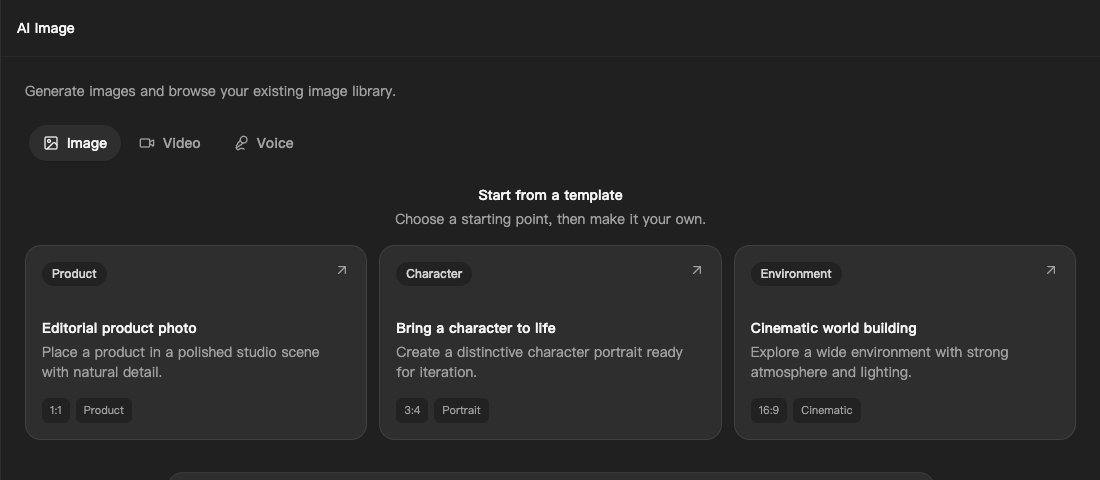
The image creation screen on Cue OS, with starting points for a product scene, a character, or an environment.
Look, then ask for a change
The first result gives you something to react to. You may like the colors but want a simpler background, or find that the subject needs more room around it. Image editing is available on the web and through Cue CLI, so an existing image can become the starting point for another version.
Keep the next request specific. “Keep the warm light, but remove the objects on the table” explains both what you value and what you want changed. If you are unsure, try describing the problem: “The background draws my eye away from the main subject.”
These are ways to make a useful request, not a guarantee that every generated detail will be exactly right. Look closely at the result before sharing it, especially where the picture needs to communicate something precise.
Keep the work connected
Image generation and editing on Cue OS do not require you to supply a separate vendor key. Supported generation routes use Cue OS credits. Check the available options and current costs in the product when deciding what to create.
Cue CLI also provides access to image generation, which can be useful when an agent is already working on a larger task. Imagine includes video and voice surfaces as well; this post concentrates on images so you can begin with one clear activity.
Try a small subject you know well. Describe it, review the picture, and ask for one change. That simple loop can help you move from a vague idea to a visual direction you can actually discuss.
See image tools through Cue CLI, and read the Imagine guide for the current web and terminal options.
About Cue OS
Cue OS is Cue’s OS: the world your agents live in. Your Cue is a personal agent with its own identity, computer, email, phone, wallet and more. It knows what matters to you and lives within your trusted circle.
Made by Plus One Labs, LLC, in San Francisco. Explore cueos.ai.